A sudden ranking drop can make months of SEO work feel wasted. The instinct is often to rewrite pages, check backlinks, or blame the latest Google update.
That is where teams lose time.
Good SEO troubleshooting starts by narrowing the problem before changing anything. Did rankings fall across the whole site or only a few pages? Did impressions drop, or just clicks? Did the decline start after a migration, content update, or technical release?
In this guide, we will walk through how to identify SEO issues with rankings, find the most likely cause, and decide what to fix first.
Step 1: Confirm the Ranking Drop Is Real
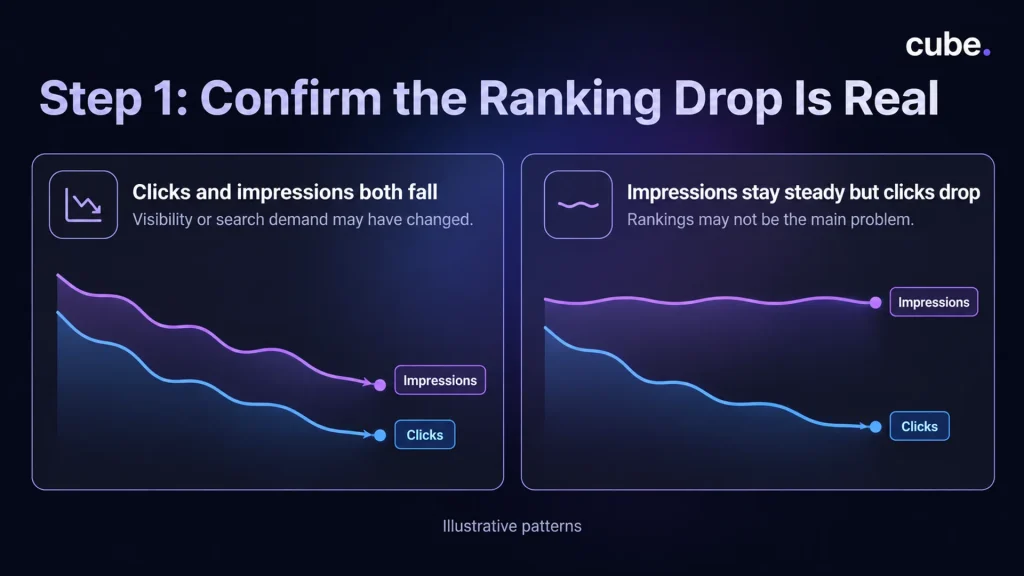
Start in Google Search Console. Compare the affected period with the previous period or, when seasonality matters, the same period last year.
Check clicks, impressions, average position, affected pages, and affected queries.
The pattern matters more than one number. If clicks and impressions both fall, visibility or search demand may have changed. If impressions stay steady but clicks drop, rankings may not be the main problem. Titles, snippets, competing search results, or changes in click-through rate could be involved.
Google recommends looking closely at clicks and impressions instead of relying too heavily on absolute average position.
Step 2: See How Much of the Site Is Affected
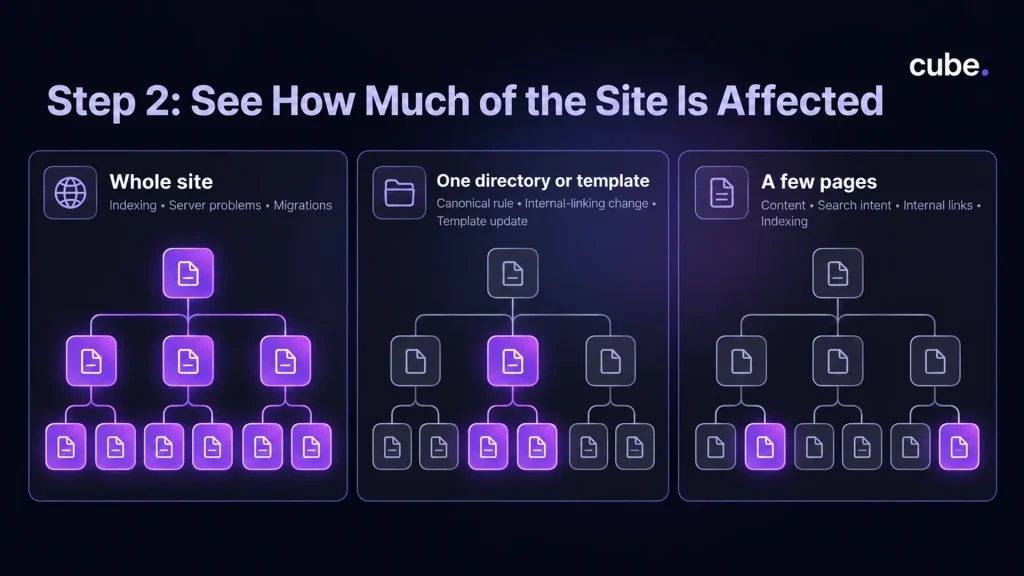
Next, define the scope.
If the whole site dropped, investigate broad issues first, including indexing, server problems, migrations, security issues, or major algorithm changes.
If one directory or template dropped, look for something those pages share, such as a canonical rule, internal-linking change, or template update.
If only a few pages declined, focus on page-level factors such as content, search intent, internal links, or indexing.
This step stops a page-level issue from turning into an unnecessary sitewide overhaul.
Step 3: Match the Drop to What Changed
Find when performance clearly shifted, then look at what happened around the same time.
Check for:
- Google ranking updates
- website redesigns or migrations
- URL or redirect changes
- major content updates
- robots.txt, canonical, or noindex changes
Also consider search demand. If rankings are relatively stable but impressions are falling, Google Trends can help you see whether interest in the topic has declined more broadly.
Do not blame a Google update simply because the dates overlap. Look for a consistent pattern across the pages and queries that lost visibility.
Step 4: Run Technical SEO Troubleshooting in the Right Order
If the pattern points to a technical issue, start by checking anything that could prevent Google from accessing or indexing important pages.
Check Crawling and Indexing First
Ask one question: Can Google still crawl and index the affected URLs?
Use the Page Indexing report for broader issues and URL Inspection for individual pages. Check for:
- unexpected noindex directives
- robots.txt blocks
- server errors or unexpected 404s on important pages
- incorrect canonical URLs
- pages unexpectedly excluded from indexing
Cube’s guide to common technical SEO issues covers crawlability, canonicals, broken links, sitemaps, and other technical problems in more detail.
Check Shared Site Rules
After a migration or development release, carefully inspect redirects, canonicals, robots.txt, and noindex rules. One template-level mistake can affect a large group of pages.
Also review Search Console for Security Issues and Manual Actions. Rewriting content will not solve an access, indexing, or security problem.
Step 5: Check Whether Search Intent Changed
If the technical foundation looks healthy, examine the current search results for the queries that lost visibility.
Ask:
- Are different types of pages ranking now?
- Has the intent behind the query changed?
- Are competitors answering the query more directly?
- Does your page contain outdated information?
- Did important internal links disappear?
- Are two of your pages targeting the same intent?
A page can lose ground without being technically broken. Search behavior changes, competitors improve, and the results Google surfaces can change as a result.
Step 6: Fix the Most Likely Cause First
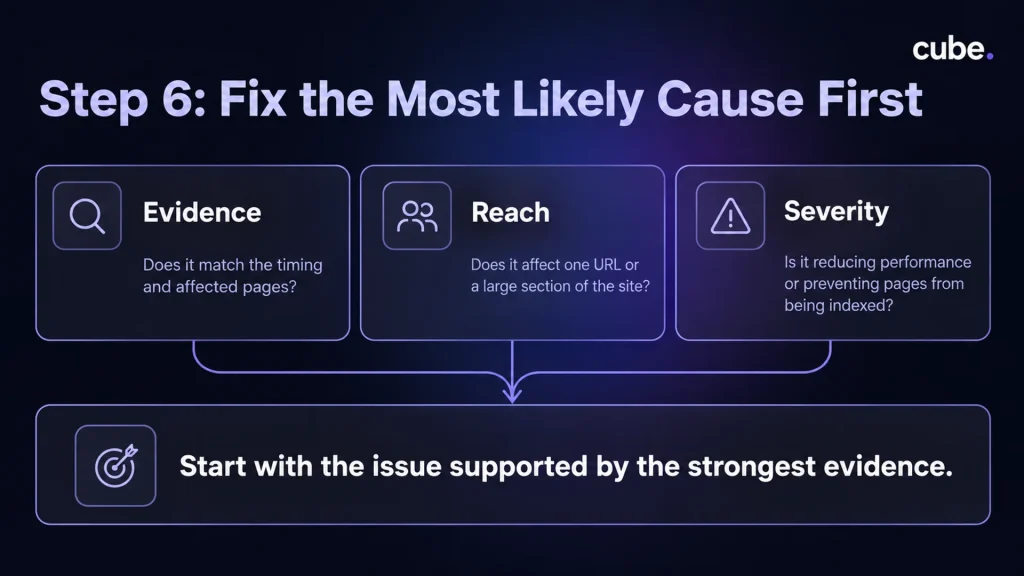
By now, you may have several possible SEO problems. Avoid fixing all of them at once.
Prioritize each issue based on:
Evidence: Does it match the timing and affected pages?
Reach: Does it affect one URL or a large section of the site?
Severity: Is it reducing performance or preventing pages from being indexed?
Start with the issue supported by the strongest evidence. If you change content, redirects, metadata, and internal links simultaneously, you may never know which change actually helped.
How to Tell If Your SEO Has Been Damaged
If you are wondering how to tell if your SEO has been damaged, look for sustained patterns rather than a bad day in Search Console.
More serious warning signs include important pages disappearing from the index, widespread crawl problems, incorrect noindex or canonical rules, persistent losses in rankings and impressions, or confirmed security issues or manual actions.
Small ranking fluctuations are normal. Diagnose the pattern before making major changes.
Frequently Asked Questions
What should I check first when rankings suddenly drop?
Start in Google Search Console. Compare clicks, impressions, positions, pages, and queries to see exactly where the decline is concentrated.
Can rankings drop even if nothing changed on my website?
Yes. Algorithm updates, competitors, seasonality, changing search demand, and shifts in search intent can all affect performance.
What technical SEO problems often appear after a website update?
Common problems include accidental noindex tags, robots.txt blocks, broken redirects, incorrect canonicals, server errors, and unexpected 404s on important URLs.
How do I know if a Google update caused the drop?
Compare the timing with Google’s official ranking-update history, then check whether affected pages and queries show a consistent pattern. Timing alone is not enough.
Should I rewrite content immediately after rankings drop?
Usually not. First rule out indexing, technical, demand, and search-intent changes. Rewrite when the evidence points to a content problem.
Make SEO Troubleshooting Easier Next Time
Ranking drops become much easier to investigate when you know what changed and when.
Keep a record of major content updates, migrations, redirects, development releases, technical fixes, and performance shifts. That gives your team a timeline to work from, rather than relying on memory.
For larger sites, that monitoring becomes harder as pages and keywords multiply. Cube’s AI-powered SEO solution automates keyword research and page audits, supports technical and on-page optimization, and reports on rankings, traffic, and execution status.