


Many websites struggle to rank, not because of weak content or poor keyword strategy, but because of hidden technical SEO issues that search engines detect immediately. Even with strong on-page optimization and high-quality backlinks, technical issues can block crawlers, slow pages, and confuse indexing systems.
Most of these issues sit in the background and go unnoticed until traffic begins to decline. A misconfigured robots.txt file, broken canonical tags, or slow page load times can quietly undermine months of content work without any obvious warning signs. The gap between “good content” and “content that actually ranks” is often a technical one.
This blog covers the most common technical SEO issues hurting rankings in 2026 and how to fix them. Whether you are conducting an internal audit or evaluating professional SEO audit services, these are the problems worth identifying first.
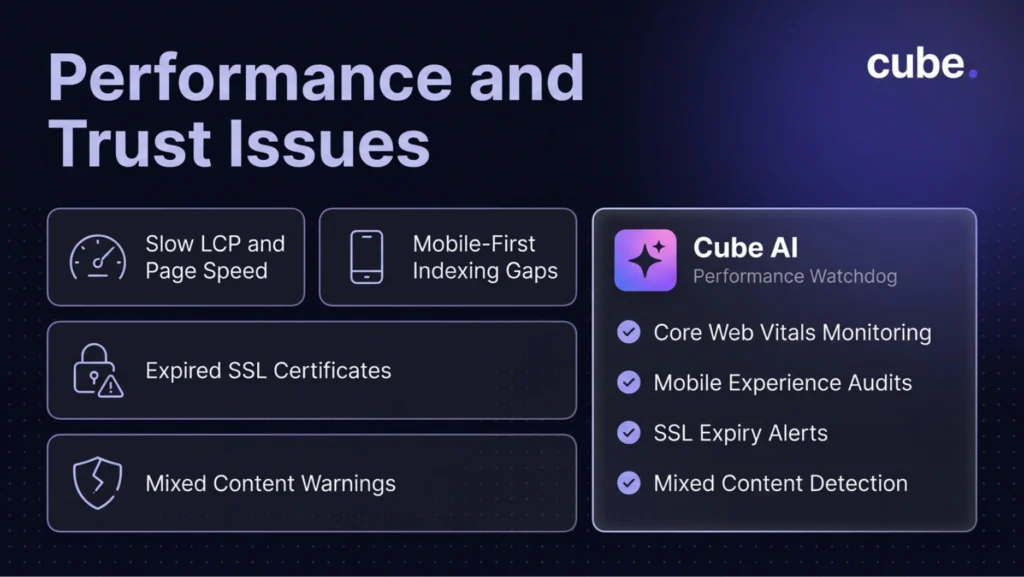
1. Slow Page Load Speed
Page speed is one of the strongest ranking signals. Google’s Core Web Vitals, specifically Largest Contentful Paint (LCP), Cumulative Layout Shift (CLS), and Interaction to Next Paint (INP), directly influence how pages perform in search results.
Common causes include uncompressed images, render-blocking JavaScript, and excessive third-party scripts. Use Google PageSpeed Insights to identify issues and prioritize fixes. Target under 2.5 seconds for LCP and under 200 milliseconds for INP to stay within Google’s recommended thresholds.
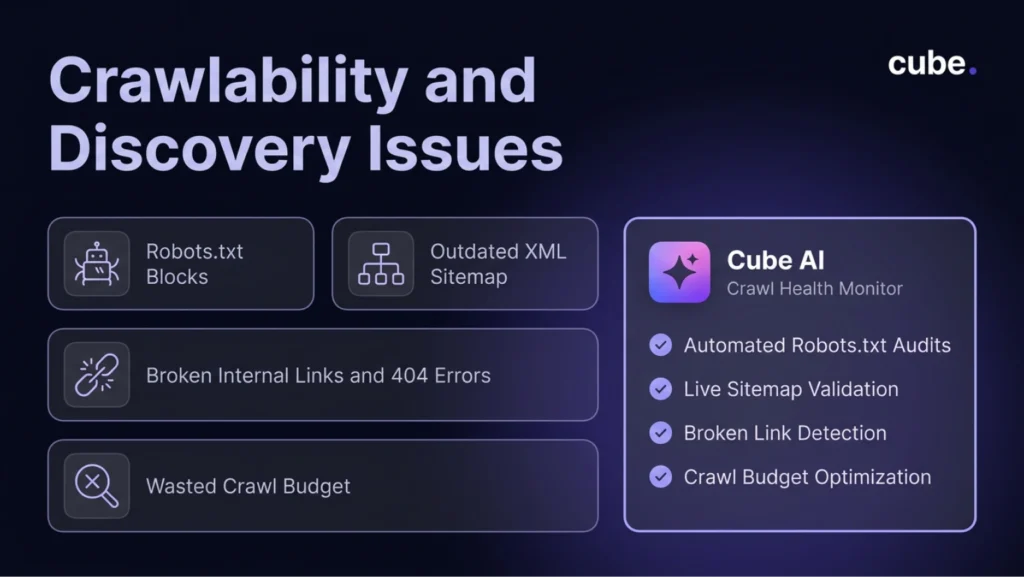
2. Crawlability Blocks in Robots.txt
Your robots.txt file tells search engine crawlers which pages they can access. Misconfigured rules, often left over from staging environments, can accidentally prevent important pages from being crawled entirely.
Audit your robots.txt regularly through Google Search Console. Make sure key pages, sitemaps, and resource files are not being disallowed. A single misplaced rule can prevent an entire section of your site from appearing in search results.
3. Incorrect or Missing Canonical Tags
Canonical tags tell search engines which version of a page is the “official” one when duplicate content exists across multiple URLs. When these tags are missing, broken, or point to the wrong URL, ranking signals get split across duplicates instead of consolidating.
This commonly happens on e-commerce sites with product filters, tracking parameters, or session-based URLs. Audit canonical tags across your site and confirm each point to the correct preferred URL. A solid technical SEO foundation prevents these issues from compounding over time.
4. Broken Internal Links and 404 Errors
Broken links create dead ends for both users and crawlers. When a crawler encounters a 404 error, it wastes crawl budget on pages that return no content. When users hit dead links, they leave. Both signals indicate that the site is poorly maintained.Run regular crawl audits to identify broken internal links, redirect chains, and orphan pages. Fix broken links by updating them to point to live, relevant URLs. A clean link structure ensures crawl equity flows efficiently and users navigate without friction.
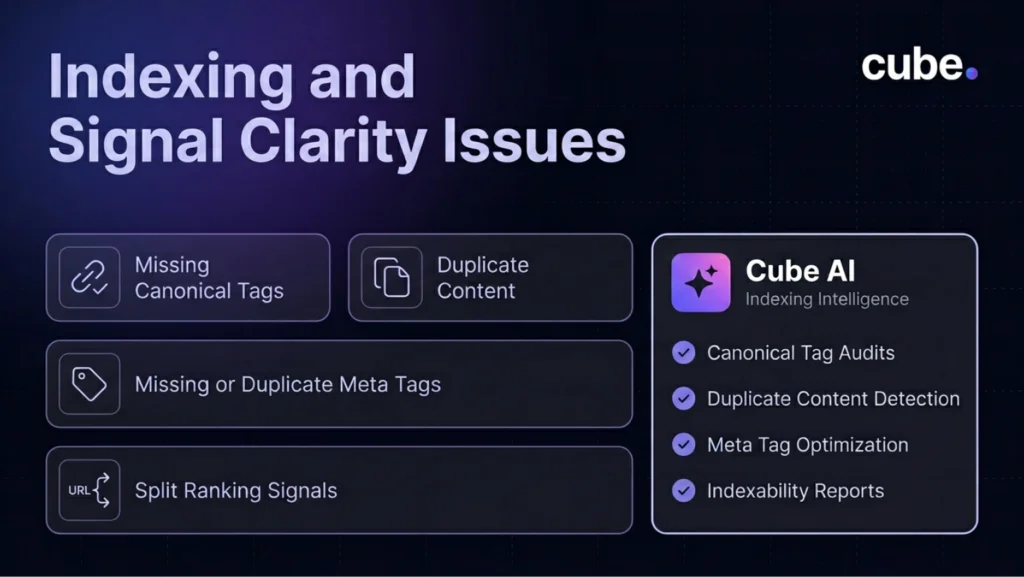
5. Missing or Duplicate Meta Tags
Missing, duplicated, or poorly written title tags and meta descriptions hurt both rankings and click-through rates. Search engines use title tags as a primary ranking signal, and duplicate titles make it harder for them to determine which page should rank for a given query.
Audit every page for unique, keyword-relevant title tags and descriptions. Keep titles under 60 characters and descriptions under 155. Avoid reusing the same title across product variations or category pages. This is one of the most common SEO mistakes on larger sites.
6. Poor Mobile Experience
Google uses mobile-first indexing, meaning it exclusively uses the mobile version of your site for ranking. If your mobile experience is incomplete, slow, or missing content visible on desktop, search engines may not index that information.
Ensure all text, images, structured data, and internal links are present in the mobile version. For businesses focused on local search visibility, mobile performance is especially critical, since most local queries occur on phones.
7. Missing or Outdated XML Sitemap
An XML sitemap guides crawlers to your most important pages. A missing, outdated, or bloated sitemap that includes redirected or deleted pages creates confusion and wastes crawl budget.
Submit a clean, updated sitemap through Google Search Console. Include only live, indexable pages and update them whenever you publish new content or remove old pages. Remove URLs that return 301 redirects, 404 errors, or carry noindex tags.
8. Duplicate Content Issues
Duplicate content confuses search engines and dilutes ranking signals. When multiple URLs serve the same content, search engines must decide which version to index, and they do not always pick the one you want.
Common sources include HTTP vs. HTTPS versions, www vs. non-www, trailing slashes, and filter parameters. Use canonical tags to consolidate signals and implement proper 301 redirects to resolve conflicts.
9. Missing or Incorrect Schema Markup
Schema markup helps search engines understand what your content represents. The FAQ schema, Product schema, Article schema, and Organization schema improve how your pages are interpreted and displayed in results.
Incorrect schema, such as using the wrong type or including validation errors, can be worse than no schema at all. Validate structured data regularly using Google’s Rich Results Test, and ensure the markup aligns with the actual content on each page.

10. HTTPS and Security Issues
HTTPS is a confirmed ranking signal. Sites with expired SSL certificates, mixed content warnings, or insecure elements damage user trust and trigger browser warnings that push visitors away.
Enforce HTTPS sitewide. Fix mixed content issues where secure pages load insecure resources. Renew SSL certificates before expiration. For SEO and user trust alike, security is a baseline requirement, not an optional enhancement.
These ten issues represent the most common technical problems that quietly erode organic performance. Fixing them requires finding what is broken and resolving it before the damage compounds.
FAQ
Can fixing technical SEO issues improve rankings without new content?
Yes. Removing crawl, speed, and indexing barriers allows existing pages to perform better. Many sites see meaningful ranking improvements simply from resolving technical debt that was holding back strong content.
How often should I run a technical SEO audit?
At a minimum, quarterly. For larger sites or those publishing frequently, monthly crawl reviews catch issues before they compound and impact traffic.
What tools are best for identifying technical SEO issues?
Google Search Console, PageSpeed Insights, Screaming Frog, and Ahrefs Site Audit are widely used. Each covers different aspects of technical health, from crawlability to speed to structured data.
Are professional SEO audit services worth the investment?
For businesses without dedicated technical SEO resources, professional SEO audit services identify issues that in-house teams often miss. The cost of an audit is typically far less than the revenue lost from unresolved technical problems.
Fix Your Technical Foundation with Cube
Technical SEO issues are the kind of problems that quietly erode performance while teams focus on content and campaigns. Consistently finding and fixing them is what separates sites that maintain rankings from those that watch traffic decline without understanding why.
Cube’s AI-powered SEO platform continuously monitors technical health, identifies issues in real time, and prioritizes fixes based on impact. Combined with human strategists who keep execution aligned with your business goals, it is a system built to protect and grow your organic visibility.
If your rankings are underperforming and you suspect technical issues are to blame, book a demo with Cube to get clarity on what is holding your site back.


