Opening a second location is exciting. But it also means managing another Google Business Profile that stays accurate, active, and easy for customers to find.
If your addresses, hours, phone numbers, or categories are inconsistent, people may land on the wrong information. The challenge gets even bigger when you are managing five, ten, or dozens of locations.
If you have been searching for Google My Business multiple locations, the platform is now called Google Business Profile, but the goal is the same: make every location easy to find and manage.
In this article, we’ll look at how to add multiple locations, when to use bulk uploads, and how to keep every profile working together as part of your local SEO strategy.
Give Each Eligible Location Its Own Profile
If customers can visit multiple physical locations, each eligible location should generally have its own Google Business Profile.
For example, a dental group with offices in three cities would manage three separate profiles. Each one can show its own address, phone number, opening hours, photos, reviews, and other location-specific information.
This matters because someone searching in one neighborhood needs information about the location closest to them, not a general profile covering the entire company.
Google Business Profiles are also part of a much larger discovery system. As we explain in our guide to how AI is changing SEO in 2026, search and AI platforms can use business profiles, websites, directories, reviews, and other sources to understand local businesses.
How to Add Another Location to Google My Business
If you only have a few locations, adding them individually is usually the simplest option.
- Sign in to the Google account connected to your Business Profile.
- From your profile on Google Search, choose the option to add a new Business Profile.
- You can then enter the new location’s business name, category, address or service information, contact details, and other requested information.
Google may require the new profile to be verified separately.
Before publishing anything, check that the information matches your website and other business listings. Your business name should also reflect how the company is represented in the real world rather than adding extra keywords simply to influence search.
If you are managing Google My Business for two locations, this manual approach is often easier than building a bulk-upload system.
Use Bulk Management When You Have More Locations
Managing locations individually becomes inefficient once your footprint grows.
Google provides bulk location management for businesses with 10 or more eligible locations. Through Business Profile Manager, you can download a spreadsheet template, enter information for your locations, and import the file rather than editing every profile separately.
Google’s bulk upload guidance explains the required fields and formatting.
A Google Business Profile bulk upload can include information such as:
- Business name
- Address
- Phone number
- Website
- Primary and additional categories
- Opening hours
- Business description
- Location-specific attributes
Each location also needs a unique store code. That code helps Google identify the correct profile when future spreadsheet updates are uploaded.
Keep Location Information Consistent
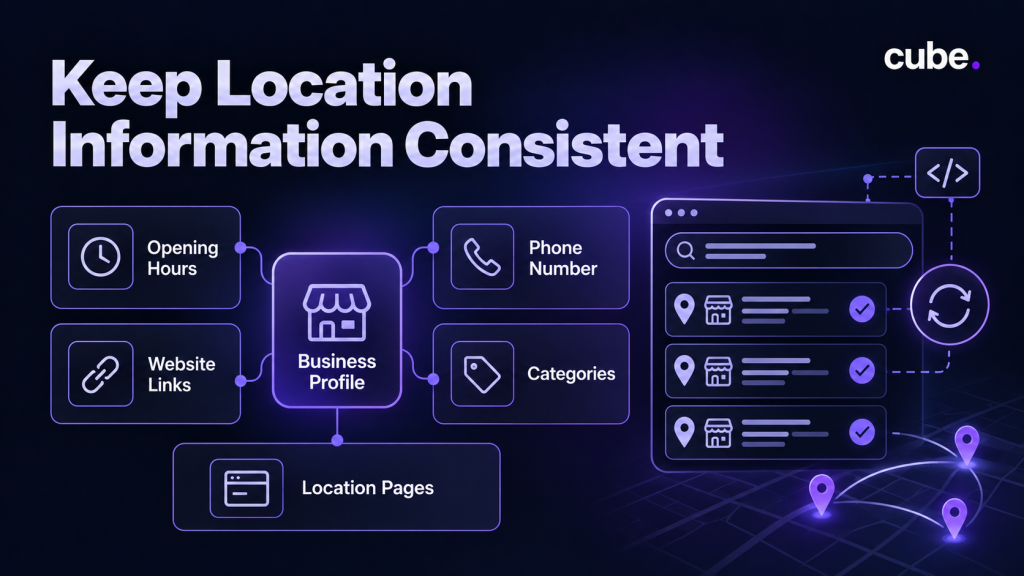
Adding your locations is only the beginning.
A strong multi-location GMB strategy depends on keeping every profile accurate over time. Review your locations regularly for changes to opening hours, phone numbers, categories, website links, and other details.
Your website should support the same structure. If you operate in several markets, useful location pages can give customers more information about the services, team, hours, and experience available in each area.
Consistency also helps search engines understand how your website relates to each location.
This is especially important as search becomes more AI-driven. Clear business information, structured data, useful local content, and consistent profiles make your brand easier for search systems to understand.
Do Not Manage Every Location Like a Copy
Consistency does not mean every profile should look identical.
Photos, updates, services, opening hours, and customer questions may differ between locations. Reviews will also develop separately.
That local context matters. Someone choosing between nearby businesses wants to know what customers experienced at the specific location they plan to visit.
For businesses with many profiles, review management can quickly become another major task. A centralized process can help you monitor feedback while keeping responses consistent with the overall brand. Our guide to managing online reviews explains how to do that across multiple locations.
FAQs
Can I manage multiple Google Business Profiles from one account?
Yes. You can manage multiple business locations using one Google account through Google Business Profile Manager.
Do I need a separate Google Business Profile for each location?
Yes, each eligible business location should have its own profile with accurate contact details, address, and opening hours.
How do I add a second location to Google My Business?
Sign in to Google Business Profile, select the option to add a new business, enter its details, and complete verification if required.
Can I update multiple Google Business Profile locations at once?
Yes. Businesses with 10 or more eligible locations can use Google’s bulk upload feature to update multiple profiles more efficiently.
Will having multiple Google Business Profiles improve local SEO?
Multiple accurate profiles can help customers find your individual locations in relevant local searches, but better rankings are not guaranteed.
Make Every Business Location Easier to Find
Adding multiple locations to Google Business Profile is only the first step. Keeping each profile accurate, updating business information, and managing customer reviews consistently can help people find and choose the right location.
As your business grows, handling all of this across several locations can take time. Cube brings SEO, review management, and other digital marketing channels together to help businesses manage their online presence more efficiently.
If you want to improve visibility across all your locations, explore Cube’s AI-powered SEO solution to see how it can support your local search strategy.