You spend time writing the subject line, building the offer, and choosing the right audience. Then the campaign goes out, but the results are disappointing. Your emails may show as delivered, yet opens, clicks, and conversions stay low.
The problem may not be your offer. Some of your emails may simply be landing in spam instead of the inbox.
Email providers look at several signals before deciding where a message should go. These include authentication, sender reputation, list quality, engagement, complaints, and your sending habits.
In this blog, we’ll look at why email campaigns end up in spam and the email marketing best practices that can help improve inbox placement.
Why Good Email Campaigns Still Land in Spam
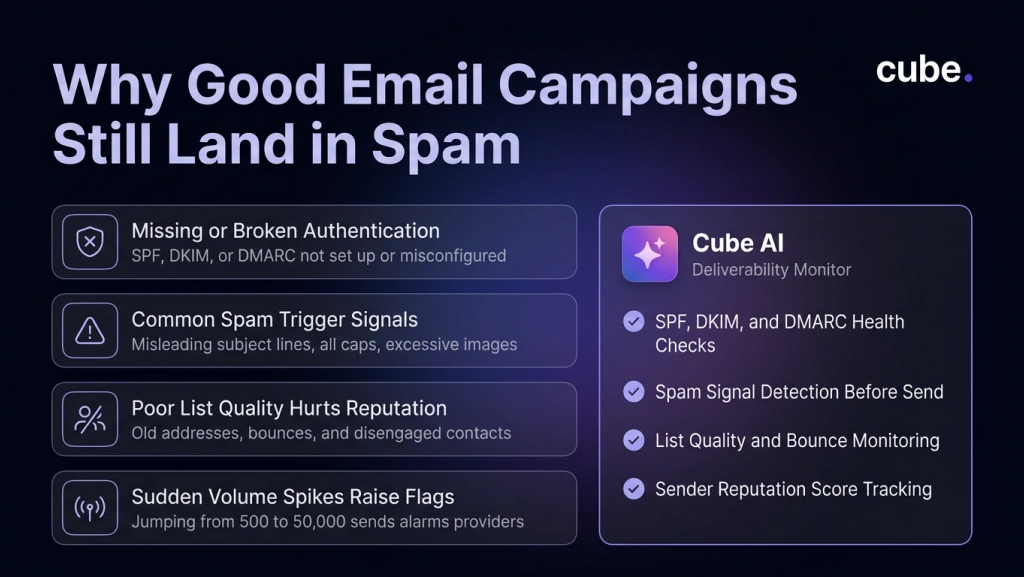
Your Domain Is Not Properly Authenticated
Email providers want to know that a message really came from the domain shown in the ‘From’ field.
That is where SPF, DKIM, and DMARC come in.
- SPF tells receiving servers which IPs are authorized to send on behalf of a domain.
- DKIM adds a digital signature that helps confirm the message is genuine.
- DMARC tells providers what to do when an email fails these authentication checks.
According to Google’s email sender guidelines, senders to Gmail accounts need to use SPF or DKIM. Businesses sending more than 5,000 messages a day to Gmail accounts have additional requirements, including SPF, DKIM, and DMARC authentication.
If your SPF, DKIM, and DMARC setup are missing or configured incorrectly, your emails might not land in the inbox.
Common Spam Triggers
Not every email lands in spam because of a technical issue. Sometimes the content or sending practices themselves can raise red flags for mailbox providers.
Common spam triggers include:
- Misleading subject lines that don’t match the email content.
- Excessive use of ALL CAPS, multiple exclamation marks, or overly promotional language.
- Too many images with very little supporting text.
- Shortened or suspicious-looking links that hide the final destination.
- Sending to outdated or purchased email lists, which often lead to high bounce rates and spam complaints.
- Large, sudden spikes in email volume, especially from new or inactive sending domains.
While none of these factors automatically send an email to spam, combining several of them can reduce trust with mailbox providers and hurt your inbox placement.
Your List Quality Is Hurting Sender Reputation
A bigger email list does not automatically mean better results.
Old addresses, purchased contacts, frequent bounces, and subscribers who have stopped engaging can all hurt your sender reputation. Over time, email providers may see these signals as a sign that people are not interested in your messages.
Clean your list regularly. Remove invalid addresses and avoid repeatedly emailing contacts who have shown no interest for a long time. Most importantly, do not send every campaign to your entire database simply because you can.
Check our guide to email marketing benchmarks to understand why looking beyond open rates can give you a clearer picture of how people are actually engaging with your emails.
Monitor Your Sender Reputation
Mailbox providers build a reputation score for your sending domain based on authentication, engagement, spam complaints, bounce rates, and sending consistency. A poor sender reputation can reduce inbox placement even if your email content is high quality.
Regularly monitor your sender reputation using tools such as Google Postmaster Tools and address issues before they affect campaign performance.
Your Sending Behavior Changes Too Quickly
A sudden increase in email volume can raise concerns with email providers, especially if you are sending from a new domain or one without much sending history.
For example, if you normally send 500 emails a week but suddenly send 50,000 in a single day, mailbox providers may see this as unusual activity and become more cautious about delivering your emails.
Increase your sending volume gradually and try to maintain a consistent schedule.
New Domains Need to Be Warmed Up
If you’re sending emails from a new domain, avoid launching large campaigns immediately. Mailbox providers like Gmail and Outlook have not yet built enough trust in your sending domain, so sending thousands of emails on day one can negatively affect your sender reputation and inbox placement.
Instead, start by sending smaller campaigns to your most engaged subscribers and gradually increase your sending volume over several weeks. This process, known as domain warming, helps establish trust with mailbox providers, improves your sender reputation, and gives your future email campaigns a better chance of reaching the inbox.
How to Improve Inbox Placement
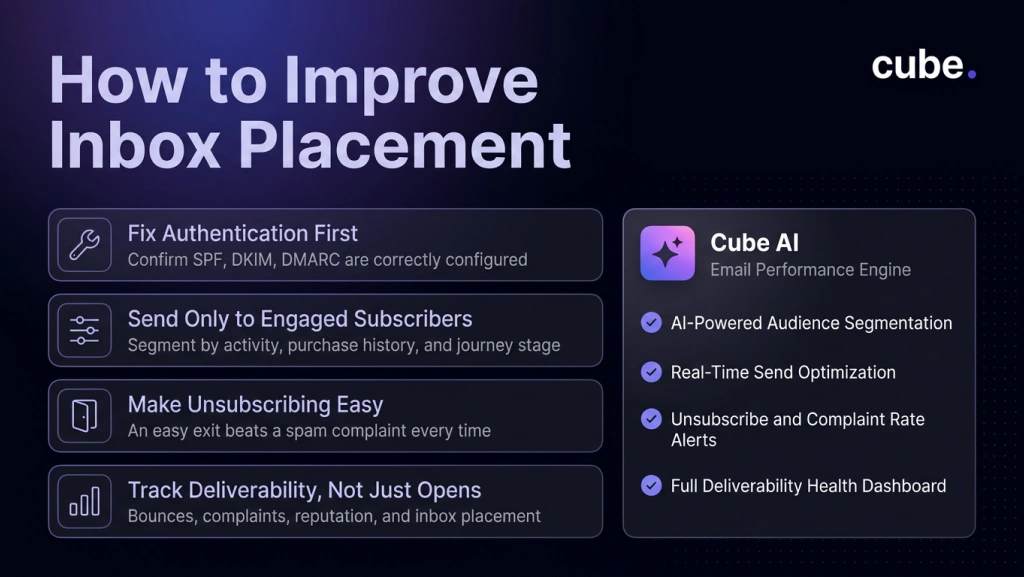
1. Fix Authentication First
Before spending more time rewriting subject lines or changing your email design, check your technical setup.
Make sure SPF and DKIM are working correctly, set up DMARC, and confirm that your sending domain is properly aligned. Google also recommends monitoring authentication, spam rates, and domain reputation through Postmaster Tools.
2. Send to People Who Actually Want the Email
Segmentation helps you send more relevant emails while protecting your sender reputation.
You can group subscribers based on recent activity, purchase history, location, interests, or where they are in the customer journey.
For example, someone who purchased from you last week probably should not receive the same message as someone who has not clicked an email in a year.
Cube’s email marketing platform uses AI-powered segmentation and real-time optimization to help businesses send more relevant messages based on audience behavior.
3. Make Unsubscribing Easy
Trying to hide the unsubscribe link can do more harm than good.
If someone no longer wants your emails, giving them an easy way to leave is better than having them mark your message as spam. Make the unsubscribe option easy to find and honor unsubscribe requests promptly.
4. Monitor Deliverability Too, Instead of Only Open Rates
Open rates are useful, but they do not tell you whether your overall email program is healthy.
Track bounce rates, spam complaints, clicks, conversions, unsubscribe rates, sender reputation, and inbox placement alongside your regular campaign metrics. Looking at these metrics together gives you a much clearer picture of your email program’s overall health than open rates alone.
FAQs
Why do email campaigns go to spam even when people subscribed?
Yes. For example, if your domain isn’t properly authenticated (SPF, DKIM, or DMARC), if subscribers rarely open your emails, if people frequently mark your messages as spam, or if you suddenly increase your sending volume from a few hundred emails to thousands overnight, mailbox providers may still place your emails in the spam folder.
Do SPF, DKIM, and DMARC guarantee inbox placement?
No. Authentication is important, but inbox placement also depends on sender reputation, list quality, engagement, and sending behavior.
How often should I clean my email list?
Review your list regularly and remove invalid or consistently disengaged addresses before they begin affecting your email performance.
Build Email Campaigns That Reach the Inbox
Better email performance starts before someone even sees your subject line. Authentication, list quality, segmentation, and consistent sending habits all influence whether your emails reach the people you want to reach.
If your email campaigns are missing the inbox or results have started to drop, book a demo with Cube to see how smarter email execution can help you reach the right audience and turn more sends into measurable growth.